- Press the "Settings" button (small gear icon) on the physical remote paired to your Signage Stick.
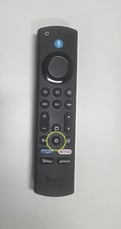
- Use the round center "Select" button on your remote to select "Network & Internet" from the on-screen menu
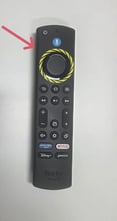
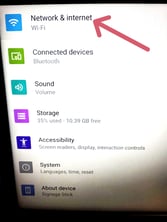
- Use the "Down" button to scroll to "Wi-Fi" and use the "OK" button on your remote to select "Wi-Fi."
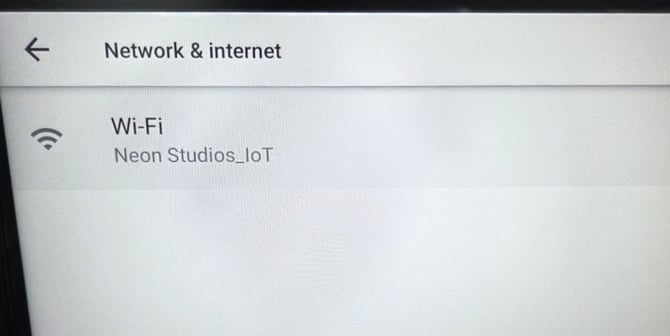
- Scroll down to find and select your network name.
- If needed, enter your Wi-Fi password when prompted.
English
![Neon Logo- high Res-23.png]](https://support.neonscreens.com/hs-fs/hubfs/Neon%20Logo-%20high%20Res-23.png?height=50&name=Neon%20Logo-%20high%20Res-23.png)